
ONU Registration
ONU registration can be found at
Equipment -> PON -> ONU Registration/pon/unregistered_onu
All unregistered ONU will be searched in auto mode.
If you want to search manually, use the button on the screenshot below.
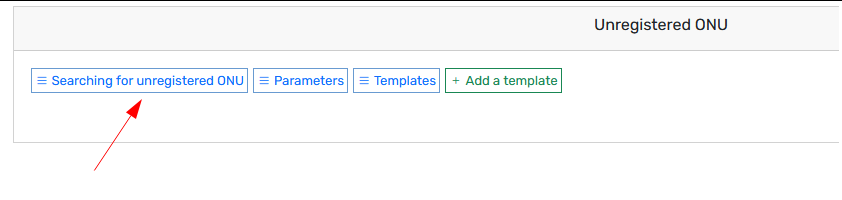
1. Creating a template
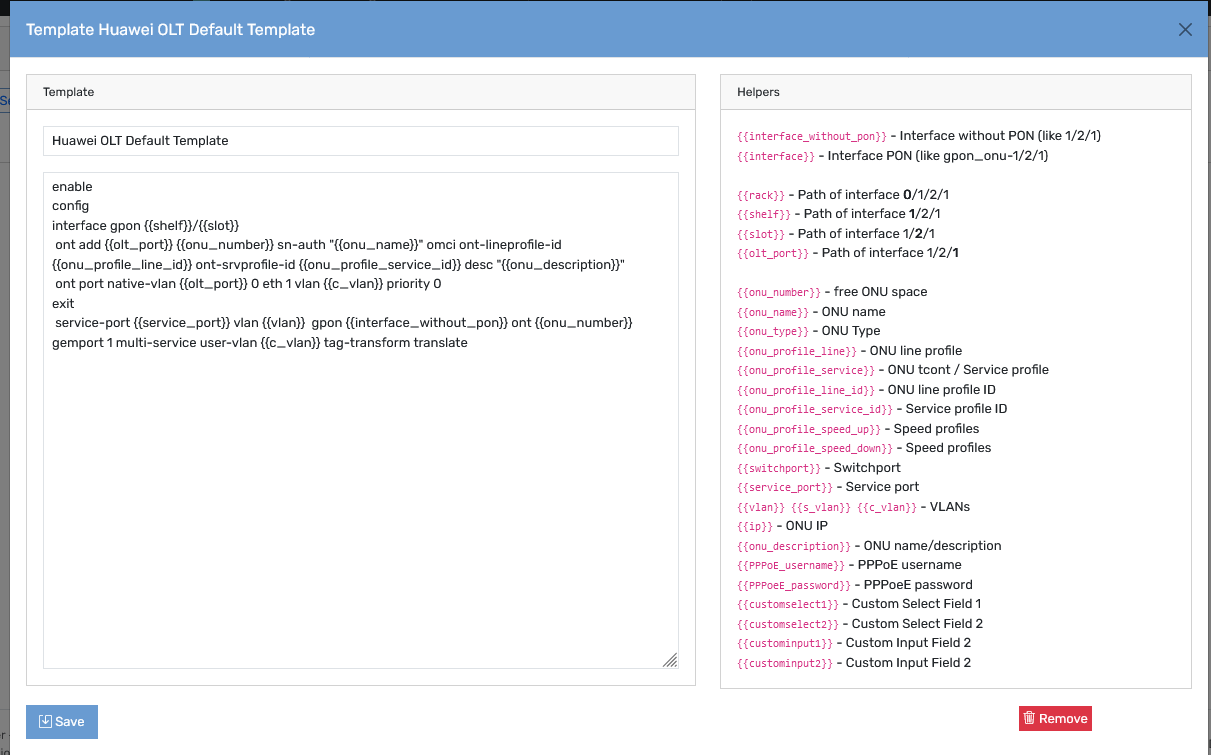
In order to register an ONU, you will need a template. This is done in two steps
1.1. Create default variables for our template
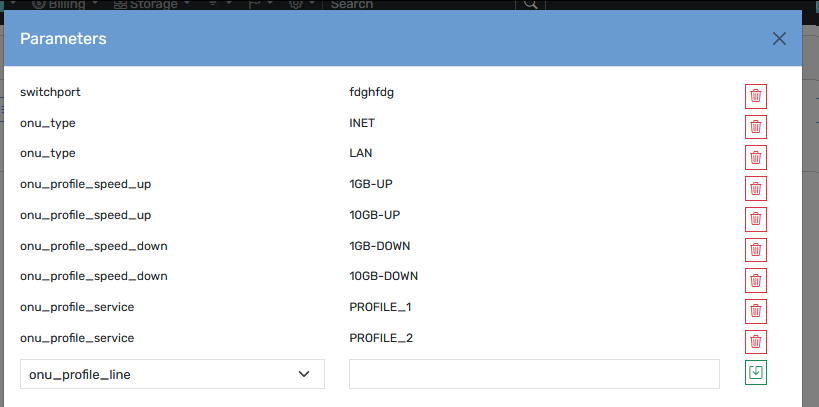
1.2. Create a template
You can specify template only for same OLT
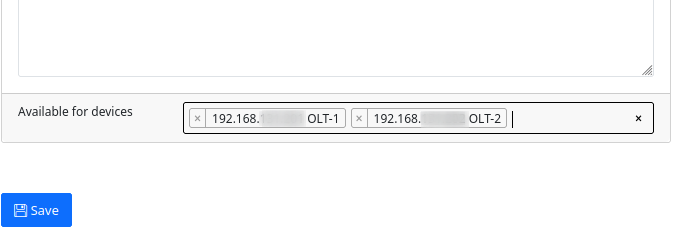
2. Registration
2.1. When the new ONU is found you will be notified about it
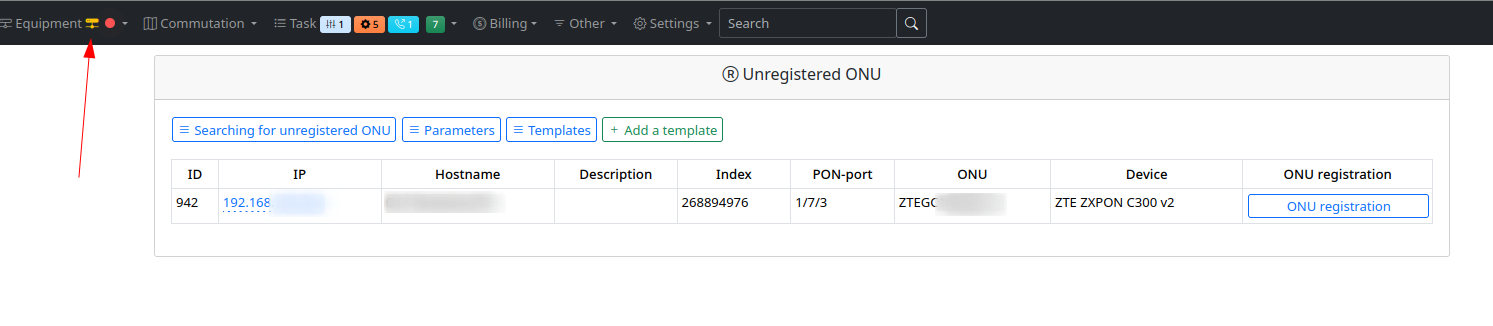
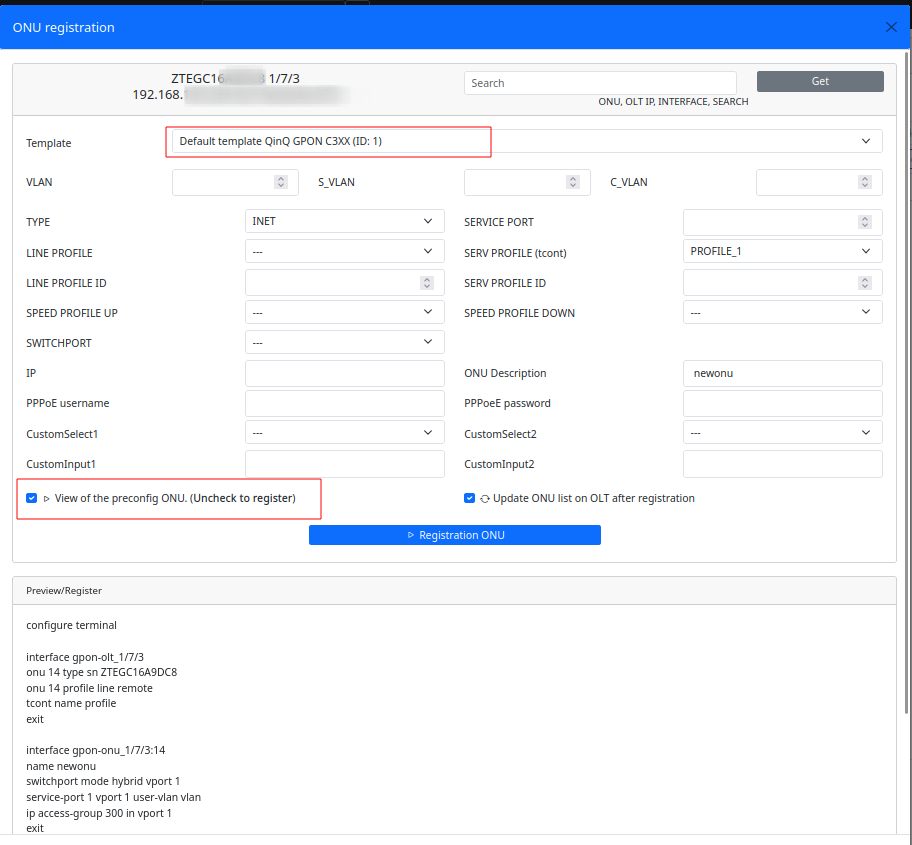
2.2. After clicking "ONU registration" you will see a form.
- Select template and press "Registration ONU" to preview config.
- If all is good, uncheck preview checkbox and press "Registration ONU"
No comments to display
No comments to display