
Billing — Telephony
Intro
The Telephony module uses Asterisk AMI to capture events, store them in a database, and provide search, uploads, stats, and operator-load analytics.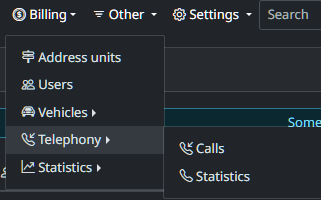
Calls
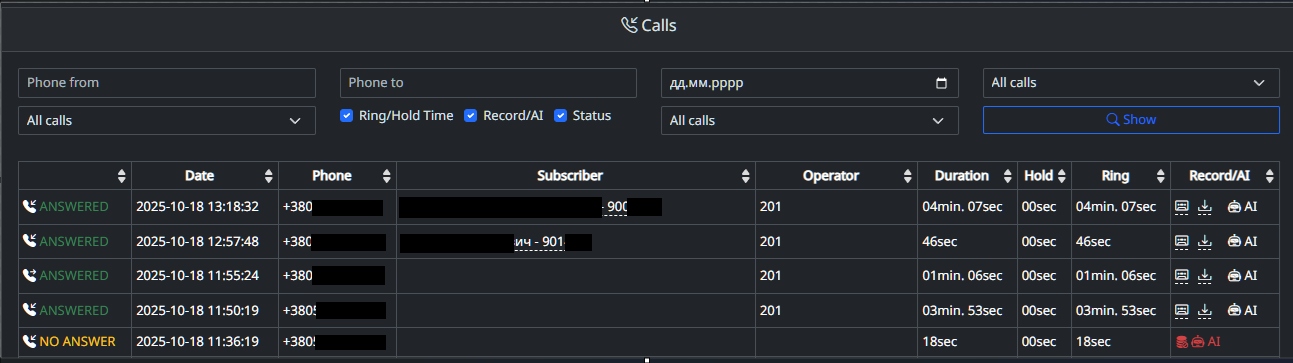
Calls page shows a searchable, filterable view of inbound/outbound Asterisk calls with status, operator, duration, ring/hold times, and recording/AI actions.
-
Top filters: caller (“Phone from”), callee (“Phone to”), date, presets (“All calls”), plus toggles to show/hide Ring, Hold, Record/AI, Status. Click Show to apply.
-
Status column: green ANSWERED, yellow NO ANSWER red FAILED.
-
Date: when the call happened.
-
Phone: external number.
-
Subscriber: matched customer (name/ID) if found.
-
Operator: agent/extension (e.g., 201). If extension linked to user - will displayed user data.
-
Duration / Hold / Ring: total talk time, time on hold, and pre-answer ringing.
-
Record/AI column: quick actions—play, download, and AI summary (disabled if no recording/no answer/failed).
Statistics
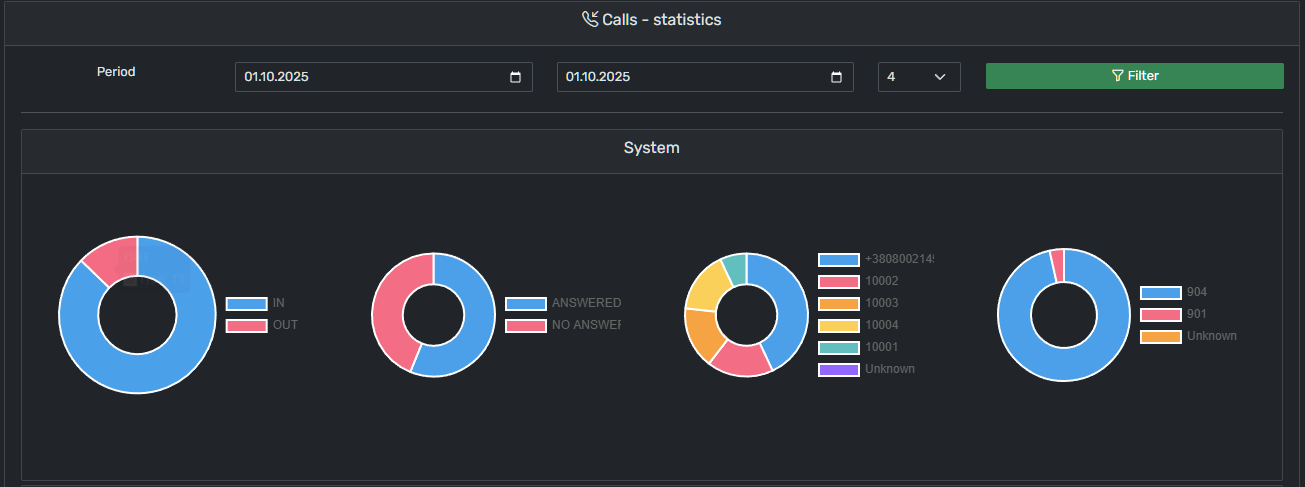 Calls → Statistics: pick a period/step, then see donut charts for IN vs OUT, Answered vs No Answer, by Operator, and by Queue/Group.
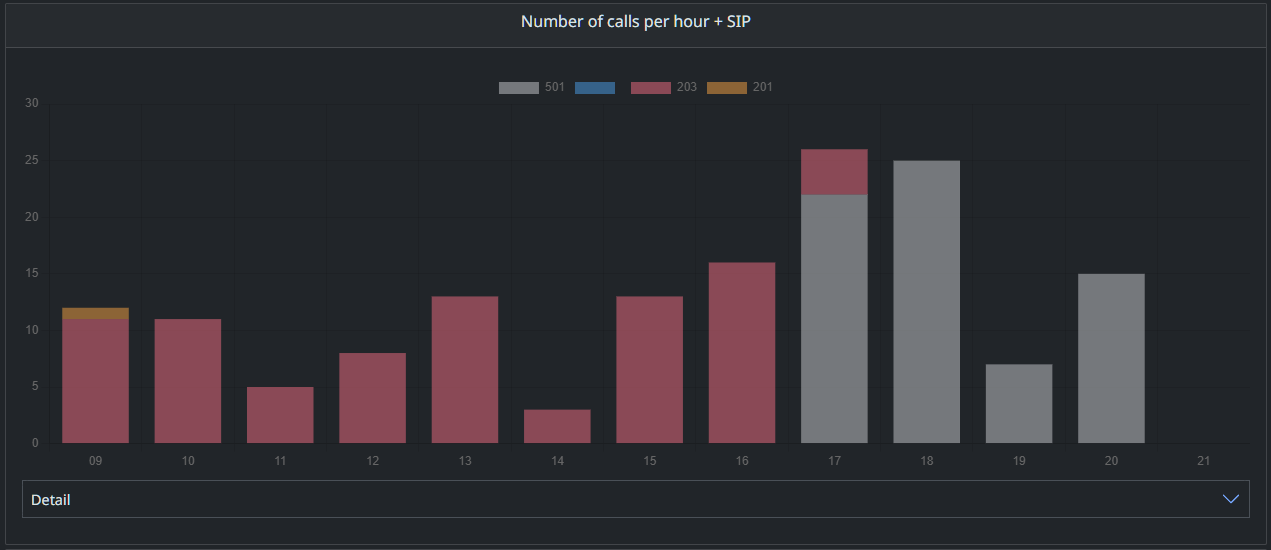 “Number of calls per hour + SIP” — a stacked bar chart showing hourly call counts, by SIP/extension (legend: e.g., 501, 203, 201), so you can spot peak hours and which SIP/operator handled the load; the Detail toggle reveals the underlying table.
Community modules
There are two community templates (collectors) available in PHP and Python. You can download and configure them yourself or request baseline help from the developers.
Given environment differences (Asterisk versions, dialplan contexts, local conventions), we recommend adapting the module to your future needs.
⚠️ Disclaimer: The modules below are provided as examples. The authors are not responsible for the correctness of writing/displaying data in your system.
-
PHP — sample collector
-
Python — sample collector
Tested on: FreePBX 17.0.21 (Asterisk 20.7)
Recommended setting: asterisk_type: 1
Python collector — installation (example)
Download into your home directory:
curl -H "Authorization: token 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" \
     -L https://api.github.com/repos/Kadadg/ami_listener_grusher/tarball/main \
     -o ami_listener_grusher.tar.gz

mkdir -p ~/ami_listener_grusher
tar -xzf ami_listener_grusher.tar.gz --strip-components=1 -C ~/ami_listener_grusher
Enter the directory and run installer:
cd ~/ami_listener_grusher
chmod +x scripts/install.sh
./scripts/install.sh
The installer performs:
Edit config after install:
sudo nano ami_listener_grusher/config.yamlControl the service:
service ami-listener stop
service ami-listener start
service ami-listener status
By default, we assume you mount the Asterisk recordings folder into html/records on your web server.
-
Install
sshfsand generate a dedicated SSH key:sudo apt update && sudo apt install -y sshfs ssh-keygen -t rsa -b 4096 -f ~/.ssh/id_rsa_custom ssh-copy-id -i ~/.ssh/id_rsa_custom.pub root@asterisk -
Verify key-based SSH works:
ssh -i ~/.ssh/id_rsa_custom root@asterisk -v
Alternative (no mount):
PHP collector
Building your own module
You may base your solution on the provided code, or write your own AMI event handler tailored to your needs.
To send an AMI event to the app (connector with JSON parameters), for example from your AMI listener:
sudo -u www-data /usr/bin/php /var/www/html/artisan grusher:asterisk_get \
'{"type":"call_new","uniq_id":"1750777894.14312"}'
Main integration file (contains the list of accepted parameters per type):html/plugins/gviabcua/asterisk/console/Asterisk.php
The flow is essentially:
Minimum required types for a correct lifecycle:
Available types (methods):
-
call_new -
call_to_operator -
call_to_operator_custom -
call_answer -
call_end -
call_end_permanent -
send_file_rec_url -
del_invalid_call
No comments to display
No comments to display